
Laser alignment for screen printing
Every print lands exactly where you meant it to.
Mount one laser line-up system above your press and stop guessing. Four independently aimed lasers outline your print area on every garment — hoodies, pockets, cuffs, zippers and all.
- US Patent 8,994,933
- 30-day money back
- Made in the USA
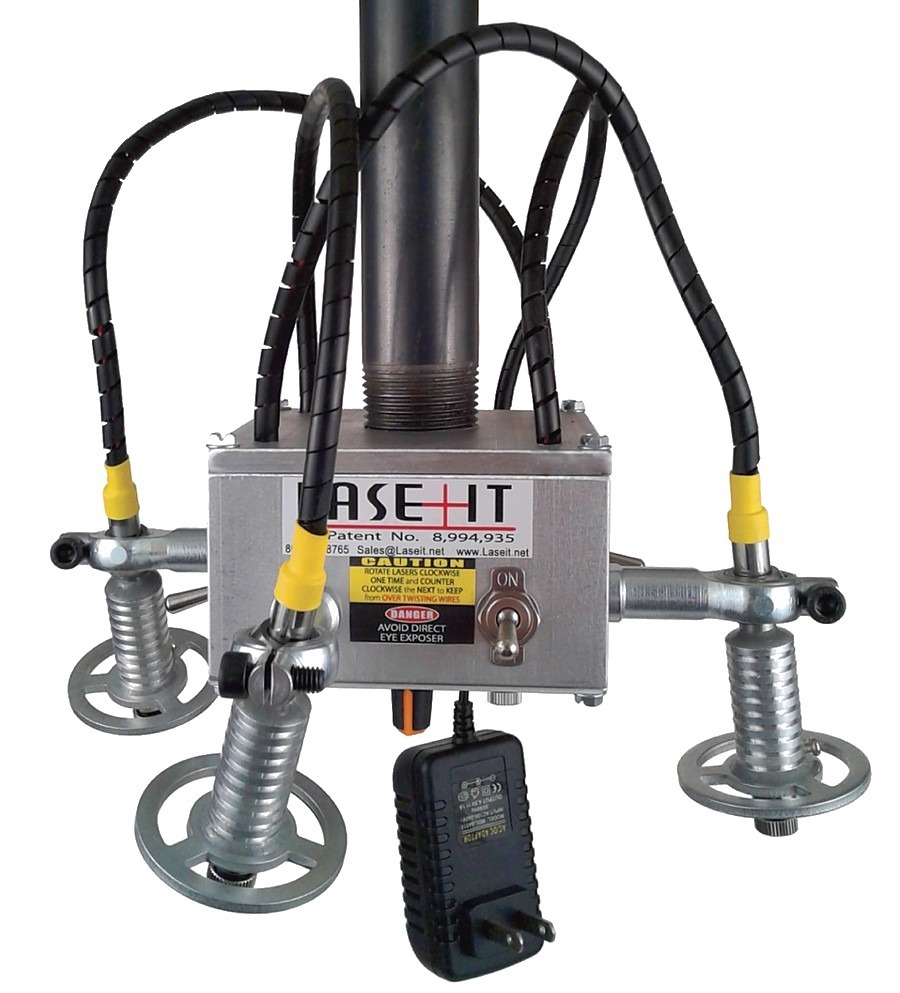 4
independently aimed lasers
Fixed Mounted 4 Laser System · mounts on any 1" pipe
Alignment systems
Pick the system that matches how you print.
Two lasers for single-location work, four for full outlines. Every system uses the same 1" pipe mount and the same replacement parts.


Step one
What is above your press?
The system hangs from a 1" pipe. The installation kit is what connects that pipe to your building — and it is the only part that changes from shop to shop.
Compare install kitsHow it works
Three moves, and the guesswork is gone.
-
01
Mount it
Bolt the install kit to your joist, beam or slab, then thread a length of 1" pipe down to press height. No wiring, no compressor, no calibration rig.
-
02
Aim it
Switch on each laser and fan it by hand to outline the print area on the platen. Set it once for a left-chest logo and it stays there.
-
03
Print it
Hoop the garment, line the seam or pocket up with the laser, and pull. New hire or twenty-year veteran, the print lands in the same place.
Installation kits
The boring part that makes it work.
Rock-solid brackets sized to your ceiling height. Add one to any system and you have everything but the pipe.


From the shop floor
Thirty-year printers do not hand out praise lightly.
The LaseIt is one of the best investments I have made in my 30 years of screen printing. I use it every day — pockets, hoodies, unusual items that need printing in exact locations.
After a quick trip to the hardware store for a length of pipe, we had it fully installed and in use on our manual press within 30 minutes. After five hours of production our staff asked why we did not get this sooner.
I have been in the printing business for 16 years and wish I had this the entire time. So many uses I have found — I use LaseIt every day. Well worth the investment.
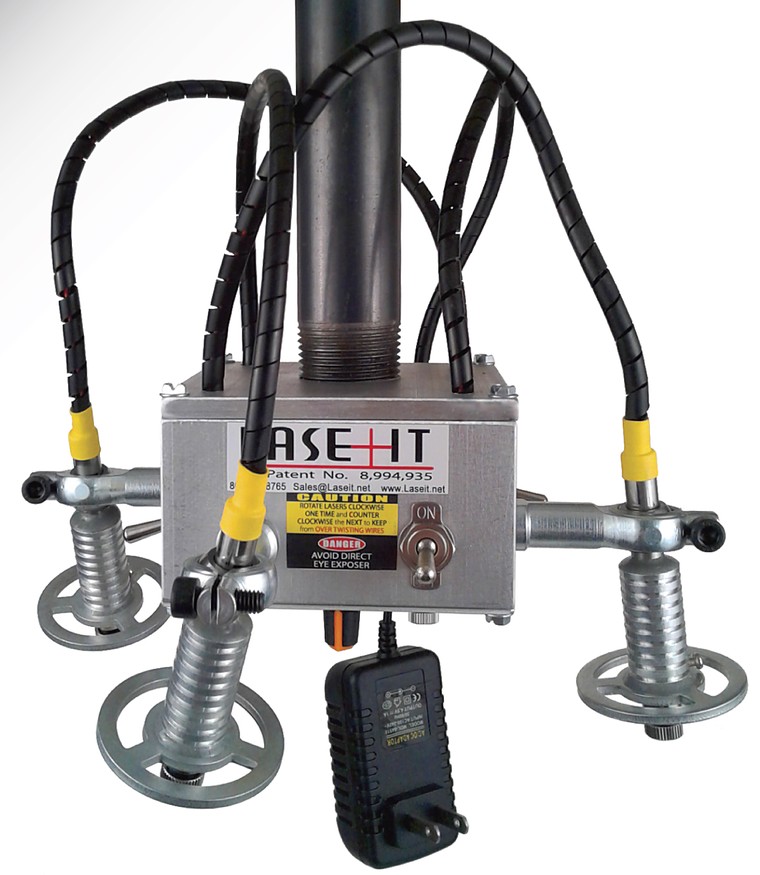
The hardware
Simple on purpose. Built to stay put.
A machined aluminum case, four independently switched lasers, and bearings cut to a tolerance tight enough that the head stays where you left it. No app, no firmware, no batteries.
- Case
- 4" × 4" × 1.5" aluminum
- Footprint
- 9.5" across with lasers extended
- Weight
- 3 lbs
- Mount
- Pre-threaded for 1" pipe
- Power
- 110V, standard two-prong plug
- Laser life
- 5,000+ hours indoors
Questions
The ones we get on the phone.
Still unsure? Call 801-393-3535.
How big is the unit, and what does it mount to?
The aluminum case is 4" wide, 4" long and 1.5" high. With the bearings and lasers extended on all four sides the footprint is 9.5". It weighs 3 lbs, and the top cover is pre-threaded for a 1" black or galvanized pipe.
How do you actually aim it?
Each laser has its own on/off switch. Switch on the ones you need, hold the laser by its wheel between your thumb and forefinger, and rotate or fan it to the exact spot. Use as many as your design needs to outline the print area.
Is there anything to install or configure in software?
None. It runs on 110 volts with a standard two-prong plug, so there are no batteries to buy and no app to pair. Mount, aim, print.
How long do the lasers last?
Each laser is rated for more than 5,000 hours of operation under normal indoor conditions. Replacement lasers are available separately if one ever gives out.
Will it hold its position once I set it?
Yes — the bearings are manufactured to very tight tolerances, so the head stays exactly where you put it while still rotating and fanning smoothly when you want to move it.
What if it does not work for my shop?
Print with it for 30 days. If it is not saving you time and misprints, send it back for a refund. Call us first — most problems are a mount height or an aim adjustment, and we would rather fix it than take it back.